
Table of Contents
- Quick Answer: Is Shopify Better Than WooCommerce?
- What Is Shopify?
- What Is WooCommerce?
- Shopify vs WooCommerce: Quick Comparison
- Shopify vs WooCommerce Pricing: Which Costs Less?
- Shopify vs WooCommerce: Which Is Easier to Use?
- Website Design and Customization: Shopify vs WooCommerce
- Ecommerce Features and Checkout Performance
- Shopify vs WooCommerce SEO: Which Is Better for Google Rankings?
- Website Speed, Security and Maintenance
- Shopify vs WooCommerce for Digital Marketing
- Which Platform Is Better for Growing Businesses?
- Shopify vs WooCommerce: Which Is Best for Different Businesses?
- Real-World Shopify Examples and Practical Insights
- Should You Migrate from WooCommerce to Shopify?
- How to Choose Between Shopify and WooCommerce
- Frequently Asked Questions
Choosing the right ecommerce platform is one of the most important decisions when starting or scaling an online business. Your platform influences website design, product management, customer experience, search visibility, operating costs and long-term growth.
Two of the most widely considered options are Shopify and WooCommerce. Both provide powerful ecommerce capabilities, but they take different approaches to building and managing an online store.
Shopify offers a fully hosted ecommerce platform with integrated selling tools, managed infrastructure and a streamlined shopping experience. WooCommerce is an open-source ecommerce solution built for WordPress, offering extensive customization and control over your website.
So, which is better: Shopify or WooCommerce?
The answer depends on your business model, budget, technical requirements and growth plans.
In this comprehensive Shopify vs WooCommerce comparison, we'll examine pricing, ease of use, website design, SEO, digital marketing, security, scalability and conversion optimization to help you choose the right platform.
Quick Answer: Is Shopify Better Than WooCommerce?
Shopify is generally better for businesses that want an easy-to-manage, fully hosted ecommerce platform with integrated selling features and less technical maintenance. WooCommerce is often better for businesses that prioritize WordPress content management, deep customization and control over hosting and website functionality.
Neither platform guarantees higher sales or better search rankings. Success depends on implementation, product-market fit, customer experience and marketing strategy.
What Is Shopify?
Shopify is a cloud-based ecommerce platform that enables businesses to create, manage and grow online stores without managing their own web servers.
It brings essential ecommerce functions into one system, including product management, checkout, payments, inventory, order processing and sales analytics.
Key Features of Shopify
- Fully Hosted Ecommerce Infrastructure
- Customizable Themes and Storefronts
- Built-In Checkout and Order Management
- Inventory and Product Management
- Mobile-Friendly Shopping Experiences
- App Integrations and Marketing Tools
- International Selling Capabilities
- Shopify Plus for Complex Ecommerce Operations
Because Shopify handles hosting and core platform maintenance, merchants can spend more time managing products, customers and growth.
However, advanced functionality can require paid apps, custom development or a higher-tier Shopify plan.
Businesses that want a storefront built around their brand can also invest in custom Shopify website development to improve design flexibility, performance and customer experience.
What Is WooCommerce?
WooCommerce is a free, open-source ecommerce plugin that transforms a WordPress website into an online store.
Unlike Shopify, WooCommerce usually requires businesses to arrange their own hosting, manage WordPress installations and maintain the software environment.
Its biggest advantage is flexibility.
Businesses can customize the website structure, product functionality, checkout processes and integrations through WordPress themes, plugins and custom development.
Key Features of WooCommerce
- Free, Open-Source Ecommerce Software
- Deep Integration with WordPress
- Extensive Website Customization
- Flexible Product and Checkout Functionality
- Broad Payment Gateway Options
- Control Over Hosting and Website Data
- Content Management and Blogging Tools
- Large WordPress Plugin Ecosystem
WooCommerce works particularly well for businesses with existing WordPress websites, content-driven marketing strategies or specialized ecommerce requirements.
The trade-off is that greater technical control also brings greater responsibility for maintenance, performance and security.
Shopify vs WooCommerce: Quick Comparison
The following table summarizes the most important differences between both ecommerce platforms.
| Feature | Shopify | WooCommerce |
|---|---|---|
| Platform Type | Fully hosted SaaS | Open-source WordPress plugin |
| Initial Setup | Generally easier | Requires WordPress and hosting setup |
| Core Software Cost | Paid subscription | Free |
| Website Hosting | Included | Purchased separately |
| Ease of Use | Beginner-friendly | Moderate learning curve |
| Custom Design | Themes, Liquid and APIs | WordPress themes, plugins and custom code |
| Checkout | Managed Shopify Checkout | Highly customizable through extensions and code |
| SEO | Strong built-in foundation | Flexible WordPress-based SEO |
| Content Marketing | Built-in blogging | Extensive WordPress content management |
| Security | Core infrastructure managed by Shopify | Shared responsibility with merchant and hosting provider |
| Integrations | Shopify App Store and APIs | WordPress plugins and APIs |
| Scalability | Managed infrastructure and Shopify Plus | Depends on hosting and technical architecture |
| Maintenance | Lower infrastructure maintenance burden | Requires updates, backups and monitoring |
| Platform Control | Within Shopify's ecosystem | Greater control over code and hosting |
| Best For | Product-focused businesses seeking operational simplicity | Businesses needing WordPress flexibility and control |
Both platforms can power successful online stores. However, their advantages depend on how businesses intend to operate and scale.
Shopify vs WooCommerce Pricing: Which Costs Less?
Pricing is often the first consideration when choosing an ecommerce platform.
However, comparing only the initial subscription or software fee can be misleading.
A realistic budget must account for hosting, development, paid extensions, payment processing, security, maintenance and technical support.
Shopify Pricing in 2026
According to Shopify's official pricing page, its standard US plans start at the following prices when billed yearly:
| Shopify Plan | Starting Monthly Price, Billed Yearly | Suitable For |
|---|---|---|
| Basic | $29 | New and smaller ecommerce businesses |
| Grow | $79 | Growing businesses with expanding teams |
| Advanced | $299 | Higher-volume and international merchants |
| Shopify Plus | From $2,300 | Enterprise and complex ecommerce operations |
Prices depend on country, billing arrangement and available promotions. Shopify Plus pricing also depends on contract requirements.
Additional expenses may include premium themes, paid apps, custom development and payment processing.
Shopify can also charge additional third-party transaction fees when a merchant uses a payment provider other than Shopify Payments. The applicable fee depends on the plan and payment circumstances.
WooCommerce Pricing in 2026
WooCommerce is free to download and use, but running a professional store involves additional expenses.
According to WooCommerce's official pricing information, typical cost categories include:
| Expense | Potential Cost |
|---|---|
| WooCommerce Core | Free |
| Hosting | Approximately $25–$350/month for many stores |
| Premium Extensions | Often $29–$299/year per extension |
| Domain | Depends on registrar and domain |
| Custom Design & Development | Depends on project scope |
| Security & Maintenance | Depends on hosting and support arrangements |
| Payment Processing | Based on selected gateway |
These are indicative published ranges, not guaranteed costs for every website.
A smaller WooCommerce store may operate on a relatively modest budget. However, a more demanding store with complex integrations, high traffic and specialized hosting can become expensive.
Example: Comparing Total Operating Costs
Consider a hypothetical ecommerce business that needs product filters, email marketing, analytics and ongoing technical support.
| Cost Category | Shopify | WooCommerce |
|---|---|---|
| Platform Software | Subscription | Free |
| Hosting | Included | Separate expense |
| Apps or Plugins | Free and paid apps | Free and paid plugins |
| Security Management | Managed core infrastructure | Hosting and site maintenance |
| Customization | Developer costs as needed | Developer costs as needed |
| Payment Processing | Provider and plan dependent | Provider dependent |
| Technical Maintenance | Usually lower operational burden | Depends on provider and website complexity |
The most meaningful comparison is total cost of ownership over 12–36 months.
A low subscription price does not automatically mean lower operating costs. Similarly, free software does not mean a business can operate without maintenance or development expenses.
Pricing Verdict
Shopify is often easier to budget because hosting and core commerce infrastructure are included in its subscription.
WooCommerce offers more flexibility in choosing infrastructure and services, potentially reducing costs for technically capable businesses.
Neither is universally cheaper.
Shopify vs WooCommerce: Which Is Easier to Use?
Shopify Ease of Use
Shopify is designed to make ecommerce management accessible to merchants without extensive technical experience.
Its dashboard centralizes essential operations such as product management, order fulfillment, discounts, customer information and analytics.
Businesses can launch using an existing theme and extend functionality as needed.
For small teams, this integrated environment can reduce the amount of technical coordination required.
WooCommerce Ease of Use
WooCommerce operates within WordPress, which may already be familiar to businesses managing blogs or corporate websites.
However, the initial setup can require additional decisions involving:
- Hosting and Domain Configuration
- WordPress Installation
- Theme Selection
- Plugin Compatibility
- Payment Gateway Setup
- Website Security and Backups
Once configured, everyday product and order management can be straightforward.
Nevertheless, complex WooCommerce stores may need ongoing developer involvement, especially after major updates or new integrations.
Ease-of-Use Verdict
Shopify generally has the advantage for businesses seeking fast deployment and simpler operational management.
WooCommerce may be equally practical for teams already experienced with WordPress.
Website Design and Customization: Shopify vs WooCommerce
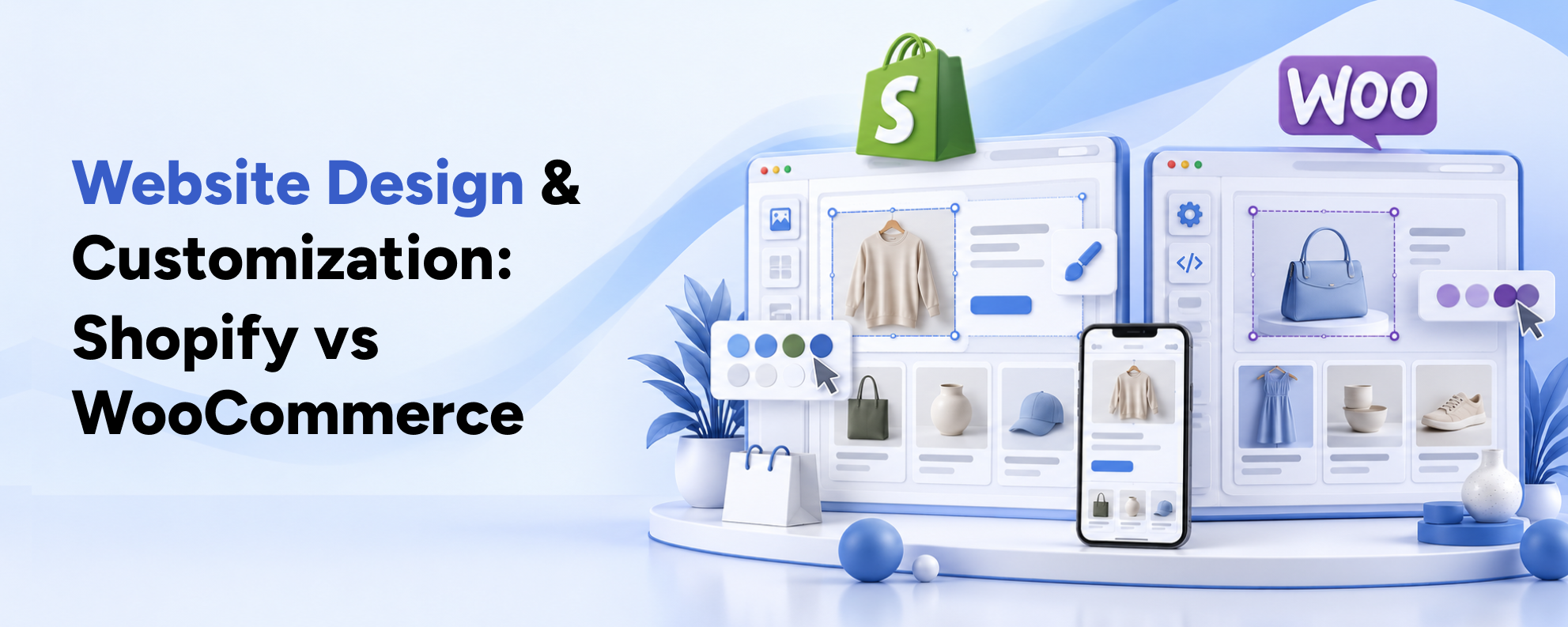
An ecommerce website needs more than attractive visuals. Its design should help customers find products, evaluate options and complete purchases.
Both Shopify and WooCommerce support professional ecommerce design.
However, they offer different degrees of customization and technical control.
Shopify Website Design
Shopify provides a theme-based storefront system that supports responsive design and reusable content sections.
Businesses can customize themes or build custom storefronts using Shopify's Liquid templating language, APIs and development tools.
Common improvements include product filters, variant selection, subscription options, collection navigation and conversion-focused product pages.
Custom Shopify development can also help reduce unnecessary app dependencies and create a storefront tailored to a brand's selling process.
WooCommerce Website Design
WooCommerce benefits from the broader WordPress ecosystem.
Businesses can use WordPress themes, page builders, custom templates and development frameworks to create highly customized experiences.
Because the software is open source, developers have greater freedom to modify core business workflows and backend functionality.
However, extensive customization requires careful technical planning to avoid slow pages, plugin conflicts and maintenance challenges.
Design Verdict
Choose Shopify if you value a structured ecommerce environment with flexible storefront customization.
Choose WooCommerce if your project requires deeper control over WordPress architecture or specialized functionality.
In both cases, strong UI/UX design should prioritize clarity, accessibility, mobile usability and purchasing convenience.
Ecommerce Features and Checkout Performance
Checkout performance matters because attracting visitors is only one part of ecommerce success.
Customers must also be able to select products, review shipping information, choose payment methods and complete orders without unnecessary friction.
Shopify Checkout
Shopify provides a managed checkout system designed for ecommerce transactions.
The platform also offers abandoned checkout recovery, discount functionality and payment integrations.
Businesses can customize certain checkout experiences, although the depth of customization depends on the plan. More advanced checkout customization is available through Shopify Plus.
WooCommerce Checkout
WooCommerce allows businesses to customize checkout functionality using plugins and custom development.
This flexibility can be valuable for businesses requiring unusual product configurations, additional customer information or industry-specific purchasing workflows.
However, complex checkout modifications can increase testing and maintenance requirements.
Does Shopify Convert Better Than WooCommerce?
There is no universal conversion rate that applies to every Shopify or WooCommerce store.
Actual performance depends on:
- Product Pricing and Customer Demand
- Traffic Quality and Search Intent
- Website Speed and Mobile Experience
- Product Information and Trust Signals
- Payment Options and Shipping Costs
- Checkout Usability
- Marketing Campaign Quality
Rather than choosing a platform based on generalized conversion claims, businesses should evaluate their own customer journey and analytics.
A dedicated Shopify conversion rate optimization strategy can help identify purchasing friction through analytics, usability research and structured testing.
Shopify vs WooCommerce SEO: Which Is Better for Google Rankings?
SEO is an essential consideration because organic search can bring relevant visitors to your ecommerce store without requiring payment for every click.
Both Shopify and WooCommerce can rank well on Google when supported by strong content, technical optimization and a sensible website structure.
Shopify SEO Features
Shopify provides a practical foundation for ecommerce SEO.
Businesses can manage page titles, meta descriptions, image alt text, product content and many URL handles.
It also provides automatically generated sitemaps and supports redirects, canonical implementation and structured data through themes or appropriate integrations.
However, some URL structures and platform behaviors offer less flexibility than a self-hosted solution.
WooCommerce SEO Features
WooCommerce benefits from WordPress's extensive content management capabilities.
Businesses can customize product URLs, publish detailed articles, develop topic clusters and integrate SEO plugins.
Popular WordPress SEO tools provide additional controls for metadata, indexing preferences, schema markup and technical optimization.
WooCommerce's greater flexibility is valuable, but it does not automatically produce stronger rankings.
What Actually Determines Ecommerce SEO Success?
Regardless of platform, effective ecommerce SEO depends on several important factors.
1. Keyword Research and Search Intent
Product pages should target relevant transactional searches, while buying guides and educational content should address informational searches.
For example, a fitness apparel store might target “women's gym leggings” on a category page and “how to choose workout leggings” in an educational article.
2. Product and Collection Optimization
Unique product descriptions, descriptive headings, helpful images and well-organized categories improve both usability and search relevance.
3. Internal Linking
Relevant links between articles, categories and products help visitors navigate the website while supporting search engine discovery.
4. Technical SEO
Important technical elements include indexability, canonical URLs, mobile usability, crawlable links, sitemaps and structured data.
Google's ecommerce SEO documentation explains how website structure and product data help search engines discover ecommerce content.
5. Structured Product Data
Product structured data can help Google understand information such as price, availability and product variants.
Google's merchant listing documentation explains the requirements for eligible enhanced product appearances.
Structured data improves eligibility for certain search features, but does not guarantee their display.
SEO Verdict
Shopify is a strong choice for businesses wanting reliable ecommerce SEO features with less infrastructure management.
WooCommerce is particularly attractive for businesses with extensive publishing needs or complex technical SEO requirements.
Neither platform guarantees better rankings. A well-executed SEO and content strategy matters more than the platform name.
Website Speed, Security and Maintenance
Website performance influences user experience, particularly for mobile shoppers.
Slow product pages, unstable layouts and delayed interactions can make browsing and purchasing more frustrating.
Shopify Performance and Security
Shopify includes managed hosting, SSL certificates and core platform infrastructure.
This reduces the merchant's responsibility for server management and many infrastructure security tasks.
However, Shopify stores can still become slow when themes contain excessive scripts, oversized images or poorly configured apps.
Store owners also remain responsible for account security, user permissions and app selection.
WooCommerce Performance and Security
WooCommerce performance depends on hosting quality, theme implementation, database management and plugin configuration.
Businesses can optimize caching, server resources, images and application architecture to achieve strong performance.
However, WordPress, WooCommerce and installed plugins require updates and ongoing maintenance.
Security responsibilities include access management, backups, patching and monitoring.
Performance Verdict
Shopify offers a simpler operational model for businesses that do not want to manage hosting infrastructure.
WooCommerce offers greater infrastructure control, which can benefit technically capable businesses with specialized performance requirements.
Both platforms require professional optimization to deliver consistently strong customer experiences.
Shopify vs WooCommerce for Digital Marketing
A successful ecommerce business needs more than a functional online store.
It also needs a strategy for attracting customers, converting visitors and encouraging repeat purchases.
This is where website development and digital marketing should work together.
Search Engine Optimization
Both platforms support SEO campaigns targeting product, category and informational keywords.
Shopify provides integrated ecommerce foundations, while WooCommerce offers extensive WordPress-based content flexibility.
Google Ads and Paid Shopping Campaigns
Both platforms can integrate with Google advertising tools and product feed solutions.
Successful campaigns require accurate product information, relevant landing pages and reliable conversion tracking.
The platform itself does not determine advertising profitability.
Social Media Advertising
Shopify and WooCommerce can both support Meta advertising and other social commerce campaigns through appropriate integrations.
Effective performance depends on audience targeting, creative quality, product-market fit and landing page experience.
Email Marketing and Customer Retention
Both platforms support email marketing, customer segmentation and automation through native capabilities or external services.
Businesses can develop campaigns for abandoned carts, product recommendations, replenishment reminders and customer loyalty.
Content Marketing
WooCommerce has an advantage for businesses that depend heavily on WordPress-based publishing workflows.
Shopify also supports blogging and educational content, although complex editorial requirements may need additional customization or tools.
Conversion Rate Optimization
CRO should connect digital marketing performance with website experience.
For example, a campaign may generate qualified traffic but still struggle to produce sales if its landing page does not explain product benefits clearly.
Reviewing acquisition channels alongside add-to-cart rates, checkout completion and revenue can reveal where improvements are needed.
Digital Marketing Verdict
Neither Shopify nor WooCommerce automatically produces better marketing results.
A connected approach to SEO, paid advertising, content marketing, analytics and conversion optimization is essential on either platform.
Which Platform Is Better for Growing Businesses?
As ecommerce businesses scale, their requirements often become more complicated.
They may need international storefronts, larger inventories, integrations with operational systems or wholesale purchasing functionality.
Shopify for Growing and Enterprise Businesses
Shopify offers scalable managed infrastructure and advanced capabilities through higher plans and Shopify Plus.
Depending on configuration and plan, businesses can support multiple markets, currencies, advanced workflows and B2B operations.
This makes Shopify attractive for brands that want to scale while limiting the burden of maintaining their own commerce infrastructure.
WooCommerce for Complex Business Requirements
WooCommerce can also support large, sophisticated ecommerce operations.
Businesses can control infrastructure, develop custom integrations and modify store workflows to meet specialized requirements.
However, the technical team must ensure that hosting, database architecture, integrations and maintenance practices scale alongside the business.
Scalability Verdict
Shopify generally offers the easier managed scaling model.
WooCommerce may be preferable when a business requires extensive technical control and has the resources to support it.
Shopify vs WooCommerce: Which Is Best for Different Businesses?
The right decision depends on the type of business you operate.
| Business Scenario | Recommended Platform | Reason |
|---|---|---|
| New Product-Based Ecommerce Store | Shopify | Faster setup and integrated operations |
| Existing WordPress Business Website | WooCommerce | Natural integration with existing content |
| Direct-to-Consumer Fashion Brand | Shopify | Strong managed commerce ecosystem |
| Content-Heavy Publishing Business | WooCommerce | Flexible WordPress content architecture |
| Business Without Technical Staff | Shopify | Less infrastructure management |
| Highly Specialized Custom Workflows | WooCommerce | Greater backend control |
| High-Growth International Brand | Shopify Plus or WooCommerce | Depends on operational complexity and technical resources |
| Business Seeking Full Infrastructure Control | WooCommerce | Control over hosting and code |
| Subscription-Based Ecommerce Brand | Either | Depends on required features, integrations and costs |
| Business Prioritizing Managed Checkout | Shopify | Integrated checkout and platform maintenance |
Example 1: A Growing Fashion Brand
Imagine a fashion company selling clothing across multiple categories.
The business wants mobile-friendly product filters, reliable inventory management and a consistent checkout experience.
Shopify may be the more convenient choice because of its ecommerce-focused tools and managed infrastructure.
Example 2: An Educational Brand Selling Products
Consider a business publishing hundreds of educational articles while selling related digital or physical products.
Its success depends on detailed content hubs, WordPress publishing workflows and custom learning integrations.
WooCommerce may fit this model particularly well.
Example 3: A High-Growth Beauty Brand
A beauty retailer wants a premium storefront, subscriptions, repeat-purchase campaigns and personalized product recommendations.
Both platforms can support these features.
The decision should depend on integration requirements, development resources, long-term costs and the desired level of infrastructure control.
Real-World Shopify Examples and Practical Insights
Platform comparisons become more useful when businesses examine how real ecommerce experiences handle product discovery and purchasing.
Example: Live Ultimate — Wellness Ecommerce
The Live Ultimate Shopify case study on Basiltech's website explores a premium wellness shopping experience where ingredient information, product discovery and subscription choices play important roles.
It demonstrates why ecommerce design should simplify customer decisions, particularly when products require explanation or offer multiple purchasing options.
Example: An International Premium Product Brand
A premium brand selling internationally must balance product storytelling with straightforward shopping.
Relevant challenges include regional customer journeys, product navigation, mobile usability and conversion-focused content.
Whether the store uses Shopify or WooCommerce, these improvements require strategy and technical execution rather than simply installing a theme.
An Industry Perspective
As Kent Uyehara, Founder of FTC, explained in a testimonial published by Shopify:
“Shopify’s ever-improving platform has made it easy for FTC to manage orders, inventory, marketing and analytics in one easy-to-use place.”
This merchant perspective highlights the operational value of integrated ecommerce management. It does not establish that Shopify is better for every business.
Businesses should evaluate similar benefits against their own operational and technical requirements.
Should You Migrate from WooCommerce to Shopify?
Migrating from WooCommerce to Shopify can be worthwhile when a business wants to reduce hosting complexity, simplify maintenance or move toward a more centralized commerce platform.
However, migration is a significant technical project.
An improperly planned transition can disrupt customer accounts, product data, integrations and organic search visibility.
When Migration May Make Sense
Consider migration when:
- Website Maintenance Consumes Excessive Resources
- Plugin Conflicts Repeatedly Disrupt Operations
- Storefront Performance Is Difficult to Maintain
- The Team Wants More Integrated Commerce Management
- Existing Infrastructure Cannot Support Growth Efficiently
- Shopify's Features Better Match Future Business Requirements
What Should Be Migrated?
A complete migration plan should consider:
- Products, variants and categories
- Customer records and account continuity
- Order history
- Images and product descriptions
- Blog content and informational pages
- Search metadata and URL redirects
- Payment, shipping and tax configurations
- Analytics, marketing tags and integrations
Historical customer passwords may require special handling because they are not necessarily portable between platforms.
How to Protect SEO During Migration
One of the greatest migration risks is changing existing URLs without proper redirects.
A store moving from WooCommerce to Shopify may need a different URL structure.
Therefore, businesses should map old pages to appropriate new pages, implement permanent redirects where relevant and check canonical URLs.
Google's site migration guidance recommends careful URL mapping, testing and monitoring to minimize disruption.
Basiltech's Shopify migration services focus on data mapping, SEO continuity, technical testing and post-launch monitoring.
Even with a careful process, temporary ranking fluctuations can occur during a migration.
How to Choose Between Shopify and WooCommerce
Before selecting either platform, evaluate your business across five important areas.
1. Business Goals
Determine whether your primary objective is launching quickly, reducing technical maintenance, improving conversions or supporting complex functionality.
2. Technical Resources
Consider who will manage hosting, website updates, integrations and troubleshooting.
A business without technical support may benefit from a managed platform.
3. Ecommerce Requirements
List your must-have functionality, including subscriptions, product bundles, wholesale pricing, international selling and custom checkout requirements.
Then confirm whether those capabilities are available natively or require additional development.
4. Marketing Strategy
Identify your main acquisition channels.
Businesses driven by extensive editorial publishing may value WordPress flexibility, while product-focused retailers may prefer Shopify's integrated ecommerce environment.
5. Long-Term Ownership Costs
Compare the full cost of operating the website for several years.
Include subscriptions, hosting, payment fees, app or plugin licenses, design changes, technical support and maintenance.
A Practical Decision Framework
If operational simplicity, faster launch and managed infrastructure are your priorities, Shopify is likely the stronger starting point.
If WordPress integration, specialized workflows and infrastructure ownership matter most, WooCommerce deserves serious consideration.
For complex businesses, a technical discovery process is essential before making the final decision.
Frequently Asked Questions
Is Shopify better than WooCommerce for beginners?
Shopify is generally easier for beginners because it includes hosting, core commerce tools and a centralized dashboard. WooCommerce requires WordPress setup and ongoing website maintenance, making it more suitable for users familiar with WordPress or businesses with technical support.
Which is cheaper: Shopify or WooCommerce?
WooCommerce core software is free, but hosting, extensions, maintenance and development can add costs. Shopify charges a subscription that includes hosting and essential ecommerce infrastructure. The cheaper option depends on the store's size, transaction requirements and technical needs.
Is Shopify or WooCommerce better for SEO?
Both platforms can perform well in search results. Shopify provides integrated ecommerce SEO features, while WooCommerce offers extensive WordPress-based customization. Rankings depend on content quality, technical optimization, search intent, backlinks and user experience rather than platform selection alone.
Can WooCommerce handle large ecommerce businesses?
Yes. WooCommerce can support substantial ecommerce operations with suitable hosting, optimized architecture and experienced development support. However, scalability and performance depend on the infrastructure and maintenance processes selected by the business.
Does Shopify charge transaction fees?
Shopify charges payment processing fees according to the payment method, plan and country. Additional third-party transaction fees can apply when using certain external payment providers. Businesses should review their regional Shopify pricing before making financial comparisons.
Can I migrate from WooCommerce to Shopify without losing SEO rankings?
A carefully planned migration can reduce SEO disruption, but no agency can guarantee that rankings will remain unchanged. Correct URL mapping, redirects, metadata preservation, technical validation and post-launch monitoring are essential.
Which platform is better for dropshipping?
Both platforms can support dropshipping. Shopify offers a managed ecosystem with supplier and fulfillment integrations, while WooCommerce allows flexible custom workflows through plugins and development. The right choice depends on suppliers, integration costs and operational needs.
Which platform is better for digital marketing?
Both Shopify and WooCommerce support SEO, paid advertising, content marketing, email campaigns and analytics. WooCommerce can be advantageous for advanced WordPress publishing, while Shopify offers integrated ecommerce workflows. Marketing results depend primarily on strategy, execution and measurement.