
Table of Contents
- Why Shopify Features Matter for Ecommerce Growth
- Feature 1: Shopify Search and Discovery
- Feature 2: Related and Complementary Product Recommendations
- Feature 3: Shop Pay Accelerated Checkout
- Feature 4: Shopify Bundles
- Feature 5: Shopify Subscriptions
- Feature 6: Shopify Forms
- Feature 7: Shopify Messaging and Marketing Automations
- Feature 8: Shopify Flow
- Feature 9: Shopify Markets
- Feature 10: Shopify Analytics and Customer Segmentation
- Comparison of All 10 Shopify Features
- Which Shopify Features Should You Implement First?
- How to Measure Shopify Sales Improvements
- Real Ecommerce Examples and Case Studies
- Common Mistakes to Avoid
- Frequently Asked Questions
Your Shopify store might have an attractive design, quality products and a steady flow of visitors. But are you taking full advantage of the features that can turn those visitors into paying customers?
Many ecommerce businesses invest heavily in SEO, Google Ads and social media marketing to attract customers. However, generating traffic is only part of the equation.
What happens after someone lands on your website is equally important.
Can customers find the products they need? Do they receive relevant recommendations? Is checkout convenient? Can your store reconnect with shoppers who leave without purchasing?
Shopify provides a growing collection of tools designed to help merchants improve these experiences.
Some features simplify shopping. Others encourage larger orders, automate marketing or make it easier to reach customers in new markets.
Yet businesses sometimes overlook capabilities already available through their Shopify plans or free first-party apps.
The result can be missed opportunities to improve conversions, increase average order value and strengthen customer retention.
In this guide, we'll explore 10 Shopify features your competitors may be using to support sales growth, explain how each works and share practical ways to implement them.
We'll also show how professional Shopify website design, custom development, conversion optimization and digital marketing can help turn these features into measurable business improvements.
Quick Answer: Which Shopify Features Can Help Increase Sales?
The most useful Shopify features depend on your business model.
Shopify Search & Discovery can help customers find relevant products. Shop Pay can simplify checkout, while Shopify Bundles and product recommendations can create opportunities to increase order value.
Shopify Subscriptions can support recurring purchases. Shopify Forms, Messaging and Flow can help businesses capture leads, communicate with customers and automate processes.
Meanwhile, Shopify Markets supports international selling and Shopify Analytics helps merchants make informed decisions.
No single feature guarantees higher sales. Results depend on product demand, implementation, customer behavior and ongoing optimization.
Why Shopify Features Matter for Ecommerce Growth
Shopify is more than a website builder.
It is an ecommerce platform that supports product management, checkout, payments, marketing, automation and sales analytics.
However, installing a Shopify theme and uploading products does not mean every capability is being used effectively.
For example, an apparel store may have hundreds of products but limited filtering options. Customers may struggle to find their preferred size or style.
A beauty retailer may have complementary products that customers frequently purchase together but no clear way of recommending them.
Similarly, a store selling regularly consumed products may be missing opportunities to offer subscriptions or convenient repeat purchases.
These situations illustrate why Shopify features should be selected around actual business needs.
The Three Main Ways Shopify Features Support Sales
1. Improving Conversion Rate
Features such as product filters and accelerated checkout can make purchasing easier.
When customers encounter fewer obstacles, they may be more likely to complete an order.
2. Increasing Average Order Value
Product recommendations and bundles can introduce relevant additional items.
For example, a skincare customer purchasing a moisturizer might also consider a compatible cleanser.
3. Improving Customer Retention
Subscriptions, segmented marketing and automation can encourage customers to maintain relationships with your business.
This is particularly useful for brands selling products customers need repeatedly.
A Simple Ecommerce Growth Example
Imagine a Shopify store receiving 20,000 sessions per month.
Its conversion rate is 2% and its average order value is $75.
That produces:
400 orders × $75 = $30,000 in monthly revenue.
Now consider a hypothetical scenario in which better product discovery and purchasing experiences increase conversion rate to 2.3%, while relevant recommendations increase average order value to $80.
The store would generate:
460 orders × $80 = $36,800 in monthly revenue.
That is approximately 22.7% more revenue from the same number of sessions.
These figures are illustrative, not typical or guaranteed Shopify performance improvements.
The example simply demonstrates why conversion rate and average order value deserve as much attention as traffic acquisition.
Feature 1: Shopify Search and Discovery
Help Customers Find the Right Products Faster
One of the most important ecommerce challenges is helping customers find relevant products without unnecessary effort.
This becomes especially difficult when a store has a large catalogue.
Shopify Search & Discovery gives merchants more control over product search, collection filters and related merchandising features.
How It Works
The free Shopify Search & Discovery app allows stores to create filters based on product characteristics.
Depending on the catalogue, customers may be able to filter by:
- Product Availability
- Price
- Size and Color
- Product Type
- Material
- Brand
- Custom Product Attributes
For example, a fitness apparel store could allow shoppers to filter leggings by size, length, color and activity.
A customer interested in black high-waisted leggings would not need to browse unrelated products.
Why This Can Support Sales
Customers who can narrow down product choices may reach relevant products faster.
Useful filters can also reduce frustration when shoppers have specific requirements.
However, filters must be relevant to the products.
Adding dozens of unnecessary options can make the experience more complicated.
How to Implement It
Install Shopify Search & Discovery, review your product data and configure suitable filters.
Then confirm that your Shopify theme supports displaying those filters.
Shopify notes that filters may not appear in incompatible themes, even when configured in the app.
Read the Shopify storefront filtering guide for implementation details.
What to Measure
Monitor collection-to-product click-through rate, product engagement, search queries with no results and add-to-cart behavior.
Best For
Fashion, beauty, electronics, home products and other stores with large or complex catalogues.
Feature 2: Related and Complementary Product Recommendations
Encourage Customers to Discover More Relevant Products
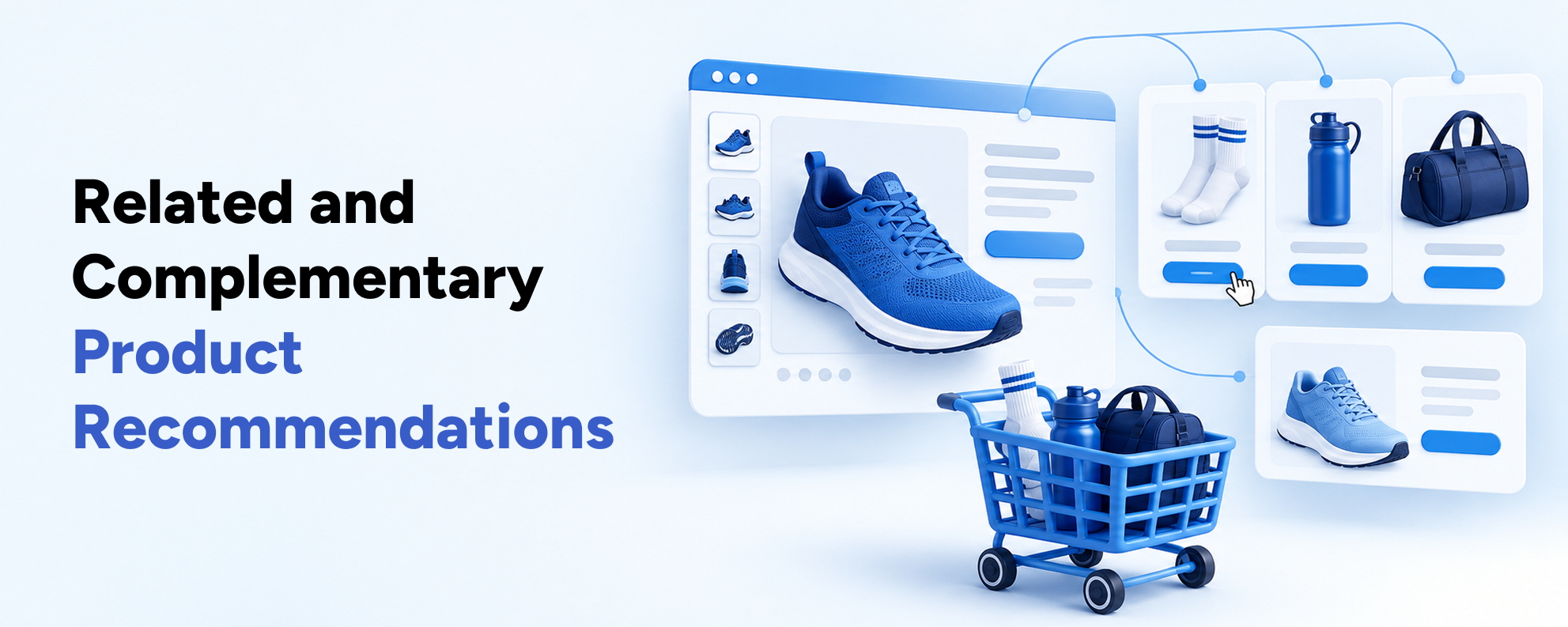
Customers often purchase products that complement items they already intend to buy.
For example, someone purchasing a hair styling tool may also need a heat-protection product.
A customer buying running shoes might be interested in appropriate socks.
Shopify supports related and complementary product recommendations through Search & Discovery and compatible theme sections.
Related vs Complementary Products
These two recommendation types serve different purposes.
Related products are alternatives or similar items.
For example, someone viewing a ceramic hair straightener may also want to compare another straightener.
Complementary products are additional items that work well with the selected product.
A heat-protection spray would be a complementary recommendation for a straightener.
Why This Can Support Sales
Relevant recommendations can introduce products customers might otherwise overlook.
Complementary recommendations may help increase order value, while related products can help shoppers find a more suitable alternative.
However, recommendations should solve a genuine customer need.
Displaying unrelated products simply to encourage extra purchases may create distractions.
How to Implement It
Use Shopify Search & Discovery to configure complementary and related products.
Then add the appropriate recommendation blocks to your product page templates.
Shopify supports manual recommendations as well as automatically generated related products, subject to the relevant product and theme requirements.
Practical Example
Consider a professional lash supply store.
A customer viewing lash extension trays may benefit from recommendations for compatible adhesives, tweezers or application accessories.
Relevant suggestions reduce the need to search across several collections.
What to Measure
Track recommendation click-through rate, recommendation-attributed purchases and average order value.
Shopify's product recommendation documentation explains how recommendations work and the conditions products must meet.
Best For
Beauty, accessories, electronics, apparel, fitness and professional supplies.
Feature 3: Shop Pay Accelerated Checkout
Make Checkout Faster and More Convenient
Checkout friction is a common concern for ecommerce businesses.
Customers may decide to purchase but hesitate when they need to complete several fields or enter payment information.
Shop Pay is Shopify's accelerated checkout option.
It allows eligible customers to securely save payment, shipping and contact information for future purchases.
How Shop Pay Works
When an eligible returning customer selects Shop Pay, saved details can make checkout more convenient.
This can reduce repetitive form entry, especially for shoppers purchasing from their phones.
Shop Pay is available through Shopify Payments for eligible merchants.
Availability varies by country and payment configuration.
Why It Matters for Conversions
Customers generally prefer a checkout experience that is straightforward and trustworthy.
Accelerated payment options can reduce the amount of information customers need to enter manually.
Shopify has published research showing favorable conversion performance for Shop Pay compared with other checkout approaches.
However, individual results vary by store.
Expert Insight
Marisa Delatorre, Director of Ecommerce at Juiced Bikes, described Shop Pay in Shopify's merchant coverage:
"It's a faster user experience and it's all contained within the checkout flow."
Her observation highlights a practical benefit: a simpler payment journey for customers who can use the service.
Read Shopify's Shop Pay performance article for the original merchant perspective and research context.
How to Implement It
Review your Shopify Payments settings and check whether Shop Pay is available for your store.
Then test the customer experience across desktop and mobile devices.
Where appropriate, evaluate accelerated checkout buttons on product and cart pages.
What to Measure
Track checkout completion rate, payment-method usage, checkout abandonment and mobile conversion rate.
Best For
Most eligible Shopify stores, especially businesses with significant mobile shopping activity.
Feature 4: Shopify Bundles
Increase Order Value With Relevant Product Packs
Product bundles allow businesses to group items into a single purchasing option.
Instead of asking customers to find several related products individually, a bundle presents them together.
Shopify offers a free first-party app called Shopify Bundles.
It supports fixed bundles and multipacks, with additional configuration available through other compatible approaches.
Examples of Product Bundles
A skincare store might create a cleansing and moisturizing set.
A professional beauty supplier could offer a starter kit containing several essential items.
A fitness brand might group training accessories into a convenient pack.
These bundles can simplify purchasing for customers with related needs.
Why Bundles Can Increase Sales Opportunities
Bundles may encourage customers to purchase multiple items together.
They can also make product selection easier when shoppers are buying a complete set for a particular purpose.
However, adding more products does not automatically improve profitability.
Discounts, fulfillment costs and margins must be considered.
How to Implement Shopify Bundles
Install Shopify Bundles and create a fixed bundle or multipack.
Define the component products, inventory behavior and pricing.
Then present the bundle clearly on the product page.
If your business needs mix-and-match kits or highly customized bundling logic, additional app functionality or custom development may be required.
Shopify's Bundles documentation explains supported bundle types and limitations.
What to Measure
Monitor bundle conversion rate, average order value, revenue per session and contribution margin.
Best For
Beauty, wellness, food, home essentials, gifts and professional supplies.
Feature 5: Shopify Subscriptions
Support Predictable Repeat Purchases
Not every ecommerce product is purchased only once.
Customers regularly replenish products such as skincare, supplements, coffee, personal care items and household essentials.
Subscriptions can make these repeat purchases more convenient.
The Shopify Subscriptions app allows eligible businesses to create recurring purchase options.
How It Works
A merchant can offer a recurring delivery arrangement for a selected product.
Customers may choose an appropriate delivery or billing frequency.
Depending on the configuration, subscription customers can manage their plans, update details or skip upcoming orders.
For example, a skincare brand might offer a moisturizer every 30 or 60 days.
Why Subscriptions Matter
Subscriptions can support more predictable purchasing patterns and longer customer relationships.
They also reduce the need for customers to remember to reorder products they use regularly.
However, not every product is suitable for a subscription model.
Businesses should consider product consumption frequency, customer demand and pricing before implementing recurring orders.
How to Implement Subscriptions
Install Shopify Subscriptions or evaluate another compatible subscription application.
Create suitable purchase options and ensure the product page clearly distinguishes one-time purchases from subscriptions.
Display billing frequency, cancellation information and relevant terms transparently.
Subscription payment requirements and eligibility depend on Shopify's supported payment methods and store configuration.
Learn more from Shopify's Subscriptions documentation.
What to Measure
Track new subscriptions, active subscribers, recurring revenue, cancellation rate and repeat purchase behavior.
Best For
Wellness, skincare, coffee, pet supplies, household consumables and regularly replenished products.
Feature 6: Shopify Forms
Convert Interested Visitors Into Marketing Subscribers
Not every person visiting your Shopify store is ready to buy immediately.
Some customers want to compare products, wait for a promotion or learn more about the brand before purchasing.
Shopify Forms helps businesses collect relevant customer information through popup and inline forms.
How Shopify Forms Works
Merchants can create signup experiences for marketing communications.
For example, a store could offer customers the opportunity to subscribe to product updates or receive useful shopping information.
Forms can also help collect information relevant to customer segments.
However, merchants must respect applicable privacy and marketing consent requirements.
Why It Matters
A customer who leaves without purchasing is not necessarily a lost opportunity.
When someone voluntarily subscribes to marketing, the brand has an opportunity to communicate with them through permitted channels.
This can support future product discovery, promotions and repeat visits.
How to Implement It
Install the free Shopify Forms app.
Create a form that fits your customer journey.
For example, a skincare brand might invite visitors to receive new product announcements or educational content.
Keep the form concise and ensure that dismissal controls are easy to use.
Avoid displaying multiple competing popups.
Shopify's Forms guide explains its subscriber collection and segmentation capabilities.
What to Measure
Track form completion rate, subscriber quality, email engagement and revenue attributed to subsequent campaigns.
Best For
Stores with meaningful email marketing, product launches, educational content or returning customer opportunities.
Feature 7: Shopify Messaging and Marketing Automations
Bring Customers Back With Relevant Communication
Attracting a new customer often requires significant marketing effort.
That makes maintaining relationships with existing customers an important part of ecommerce growth.
Shopify Messaging, formerly Shopify Email, supports marketing communications directly through Shopify.
As of 2026, it includes email, SMS and WhatsApp capabilities, subject to channel availability and requirements.
Common Marketing Use Cases
Stores can develop communication campaigns around:
Not every message should be promotional.
Helpful product information, order-related guidance and educational content can also contribute to customer relationships.
How Marketing Automation Works
Shopify Messaging supports automated emails triggered by relevant customer actions.
For example, a welcome email may be sent after an eligible customer subscribes.
A merchant may also configure abandoned checkout communications using the applicable Shopify functionality.
Automation availability and marketing consent requirements must be reviewed for each communication type.
Why This Can Support Sales
Relevant communication keeps a business connected with customers beyond their initial website visit.
Segmentation and timing can make those messages more useful.
For example, a retailer may create different campaigns for first-time subscribers and customers who have already purchased.
How to Implement It
Install Shopify Messaging and configure your marketing preferences.
Review consent collection, subscriber segments and available automation templates.
Build campaigns around meaningful customer needs.
Avoid excessive messaging that creates fatigue or encourages unsubscribes.
Shopify's Messaging documentation explains available channels and features.
What to Measure
Monitor attributed revenue, click-through rate, conversions, unsubscribes and customer retention.
Best For
Fashion, beauty, lifestyle, subscription brands and stores with an active customer database.
Feature 8: Shopify Flow
Automate Repetitive Ecommerce Tasks
As an ecommerce business grows, routine operations can consume significant time.
A merchant may need to tag certain customers, manage inventory alerts or coordinate actions between different applications.
Shopify Flow is a workflow automation platform designed for these requirements.
How Shopify Flow Works
Shopify Flow uses three basic components:
- Triggers start a workflow when an event occurs.
- Conditions determine whether the workflow should continue.
- Actions perform tasks when the specified conditions are satisfied.
For example, a workflow could begin after a customer places an order.
A condition might check whether the order exceeds a specified value.
The resulting action could apply an internal customer tag for later segmentation.
How Automation Supports Business Growth
Flow does not directly create customer demand.
Its value comes from reducing repetitive work, improving process consistency and supporting timely operational actions.
This can help teams focus more attention on customer experience and marketing.
Practical Automation Examples
An ecommerce business might use Flow to:
- Flag Certain Orders for Review
- Tag Customers Based on Purchasing Behavior
- Create Internal Inventory Notifications
- Coordinate Compatible Third-Party Applications
- Support Operational Workflows After Orders
Some automation actions are plan-dependent.
For example, Shopify's Send HTTP Request action is available on Grow, Advanced and Plus plans.
How to Implement It
Install Shopify Flow and select an appropriate workflow template or build a custom workflow.
Test conditions carefully before activating automations involving orders or customer data.
Review Shopify's Flow documentation for available triggers, conditions, actions and plan requirements.
What to Measure
Track administrative time saved, workflow errors, order processing efficiency and the business outcomes associated with automated processes.
Best For
Growing ecommerce stores, high-volume merchants and businesses using multiple integrated systems.
Feature 9: Shopify Markets
Reach International Customers With Localized Shopping
Selling internationally involves more than allowing visitors from other countries to access your website.
Customers may expect familiar currencies, appropriate language options and clear regional shipping information.
Shopify Markets provides tools for managing localized shopping experiences.
What Shopify Markets Can Do
Depending on store configuration and eligibility, Shopify Markets supports:
- Country and Regional Markets
- Localized Pricing
- Supported Currencies
- Language Preferences
- Market-Specific Product Availability
- Regional Domains and URLs
- Market-Specific Storefront Experiences
For example, a brand serving customers in the United States and France may provide different market experiences based on currency, language and product availability.
Why Localization Matters
Unexpected currency conversions or unavailable products can create hesitation.
Customers may feel more comfortable when product information, pricing and purchasing conditions are appropriate for their location.
However, businesses must also account for shipping costs, duties, taxes and payment availability.
How to Implement It
Open Markets in the Shopify admin and review the countries or regions you intend to serve.
Configure market settings and determine whether localized content is appropriate.
For multilingual stores, review available language options and translation workflows.
Shopify can generate relevant international SEO signals for appropriately configured markets.
Read Shopify's Markets documentation for the available settings.
What to Measure
Monitor revenue by country, conversion rate by market, international checkout completion and regional shipping-related abandonment.
Best For
Fashion, lifestyle, electronics and other businesses expanding beyond their primary market.
Feature 10: Shopify Analytics and Customer Segmentation
Make Better Decisions Using Customer Data
Many Shopify stores collect performance data without using it to guide meaningful improvements.
Shopify Analytics provides reports covering traffic, sales, customer behavior and store performance.
Customer Segmentation allows merchants to group customers using relevant characteristics and purchasing information.
Together, these capabilities can support better marketing and merchandising decisions.
Important Shopify Analytics Reports
Depending on the store's configuration, merchants can review:
- Total and Net Sales
- Average Order Value
- Online Store Conversion Rate
- Sales by Product
- Sessions by Device
- Customer Behavior
- Returning Customer Trends
- Product Performance
For example, a store may discover that a particular collection attracts substantial traffic but produces relatively few purchases.
That may justify reviewing product pricing, filtering, images or the purchasing journey.
How Customer Segmentation Works
Shopify Customer Segmentation allows merchants to create dynamic groups using customer attributes and activity.
A business might create segments for customers in a specific region or customers who previously purchased a particular product category.
These groups can then support more relevant communication.
For example, a pet supply store might send appropriate replenishment reminders to customers who previously purchased eligible consumables.
Why Analytics and Segmentation Matter
Without reliable measurement, merchants may invest in features that appear useful but produce little business value.
Analytics helps identify where customer journeys are underperforming.
Segmentation allows digital marketing campaigns to reflect different customer needs.
How to Implement It
Review the Analytics dashboard and identify the KPIs most relevant to your business goals.
Then create useful customer segments and connect them with compatible marketing tools.
Avoid collecting unnecessary personal information.
Shopify's Analytics documentation and Customer Segmentation guide explain these capabilities.
What to Measure
Monitor conversion rate by segment, repeat purchase rate, revenue per customer, customer acquisition cost and campaign-attributed revenue.
Best For
Virtually every established Shopify store, especially businesses investing in digital marketing.
Comparison of All 10 Shopify Features
| Shopify Feature | Primary Benefit | Main KPI |
|---|---|---|
| Shopify Search & Discovery | Easier product discovery | Product engagement |
| Product Recommendations | Relevant cross-selling | Average order value |
| Shop Pay | Faster checkout | Checkout completion |
| Shopify Bundles | Higher-value purchases | Bundle revenue and AOV |
| Shopify Subscriptions | Recurring purchases | Subscription retention |
| Shopify Forms | Marketing subscriber growth | Qualified signup rate |
| Shopify Messaging | Customer re-engagement | Campaign-attributed revenue |
| Shopify Flow | Operational efficiency | Time saved and workflow accuracy |
| Shopify Markets | International shopping | Conversion by market |
| Analytics & Segmentation | Better decisions and targeting | Revenue and customer retention |
Each feature supports a different stage of the customer journey.
The main objective is not to activate every feature simultaneously.
Instead, identify which customer or operational problem each feature solves.
A small store may benefit immediately from better product filters and simpler checkout.
A mature ecommerce business may gain more from subscription optimization, customer segmentation or international selling.
Which Shopify Features Should You Implement First?
The best Shopify growth strategy begins with understanding your current performance.
Different problems require different solutions.
If Your Store Gets Traffic but Few Sales
Review navigation, product pages and checkout.
Start by evaluating Shopify Search & Discovery and Shop Pay.
Also investigate whether product descriptions, pricing or delivery information are creating friction.
Professional Shopify website design can help address issues that cannot be solved through app settings alone.
If Your Average Order Value Is Low
Review complementary products, bundles and product recommendations.
Ask whether customers genuinely benefit from purchasing related items together.
Avoid offering aggressive discounts without considering profitability.
If Customers Rarely Return
Evaluate subscriptions, Shopify Messaging and customer segmentation.
Consider whether customers regularly need your products and whether your business offers a compelling reason to return.
If Your Team Spends Too Much Time on Repetitive Work
Explore Shopify Flow.
Identify operational tasks that follow predictable rules and can be safely automated.
If You Want to Expand Internationally
Evaluate Shopify Markets, localization and regional purchasing requirements.
Ensure fulfillment and customer support can accommodate the markets you intend to serve.
How to Measure Shopify Sales Improvements
Installing a feature is not the same as improving business performance.
A proper optimization process requires measurement.
Start With a Baseline
Before enabling a feature, record the relevant metrics.
For example, if you are testing product recommendations, track current average order value and revenue per session.
If you are improving checkout, record checkout completion rate and payment-method usage.
Evaluate Relevant KPIs
| Business Goal | Primary KPI | Supporting Metric |
|---|---|---|
| Improve Product Discovery | Product click-through | Add-to-cart rate |
| Increase Order Value | Average order value | Revenue per session |
| Simplify Checkout | Checkout completion | Abandonment rate |
| Improve Retention | Repeat purchase rate | Customer lifetime value |
| Grow Subscriptions | Active subscriptions | Cancellation rate |
| Increase Marketing Efficiency | Attributed revenue | Acquisition cost |
| Expand Internationally | Regional revenue | Conversion by country |
Use Consistent Reporting Periods
A store may experience increased revenue after enabling a new feature because of seasonal demand or a major advertising campaign.
That does not prove the feature caused the increase.
Compare equivalent periods and account for changes in traffic sources, promotions and product availability.
Test Changes When Possible
For important storefront changes, controlled A/B testing can provide stronger evidence than a simple before-and-after comparison.
However, experiments require adequate traffic and reliable measurement.
Basiltech's Shopify CRO and ongoing growth services focus on researching customer friction, testing improvements and evaluating measurable performance.
Consider Profitability, Not Only Revenue
A bundle promotion might increase average order value while lowering profit margins.
Similarly, an acquisition campaign might generate sales at an unsustainable advertising cost.
Track relevant margins and acquisition efficiency alongside revenue.
The strongest ecommerce improvements support long-term profitability.
Real Ecommerce Examples and Case Studies
Different ecommerce industries benefit from different Shopify capabilities.
The following examples illustrate how feature selection should reflect customer needs.
Example 1: Wellness Ecommerce and Subscriptions
Consider a wellness brand offering products customers may purchase regularly.
Its customers need clear product information, transparent subscription terms and an easy way to compare purchasing options.
Useful Shopify capabilities could include product recommendations, subscriptions and convenient checkout.
Basiltech's Live Ultimate Shopify case study explores product discovery, customer journeys and subscription-focused shopping experiences in a wellness ecommerce context.
The lesson is that subscription functionality works best when customers can easily understand their choices.
Example 2: Professional Beauty Supplies and Bundles
A lash supply retailer serves professionals who regularly purchase adhesives, tools and other application essentials.
Relevant bundles can make ordering supplies more convenient.
Product filters may also help customers choose items based on technical requirements.
Meanwhile, targeted marketing and customer segmentation can support relevant communication with returning professionals.
The most useful feature is the one that matches how those customers shop.
Example 3: International Fashion Ecommerce
A growing fashion brand might already receive traffic from multiple countries.
However, customers may encounter unfamiliar currencies or products that cannot be shipped to their location.
Shopify Markets can help create more relevant regional experiences.
Product filtering and accelerated checkout may further improve convenience.
In this scenario, international selling requires coordination between Shopify configuration, website design, inventory and digital marketing.
What These Examples Demonstrate
There is no universal feature combination that works best for every Shopify store.
A subscription-driven wellness brand has different priorities from a fashion retailer or professional supply business.
Successful implementation begins with customer research and clear commercial objectives.
Common Mistakes to Avoid
1. Installing Too Many Apps
More apps do not automatically create a better store.
Unnecessary scripts and overlapping functionality can increase maintenance complexity and affect performance.
Review native Shopify capabilities before adding third-party tools.
2. Using Features Without Clear Goals
Every feature should solve a defined problem.
For example, implementing bundles makes little sense if the products do not naturally belong together.
Set a measurable objective before making changes.
3. Ignoring Mobile Shopping
A feature that works well on desktop may be difficult to use on a smartphone.
Test filters, recommendations, forms and purchase controls across common mobile devices.
4. Overusing Discounts
Discounts can encourage purchasing but may weaken profitability or customer expectations when used excessively.
Evaluate margin and repeat-purchase behavior, not just order volume.
5. Sending Too Many Marketing Messages
Automated marketing should remain relevant and respectful.
Use appropriate consent, segmentation and frequency controls.
6. Failing to Measure Results
If a feature is added without baseline data, it becomes difficult to determine whether it creates value.
Define the primary KPI and monitoring approach before implementation.
7. Overlooking Storefront Design
A feature may be technically enabled but poorly presented.
For example, a useful product recommendation section can underperform if it appears far below unrelated content.
Shopify features should be integrated into a coherent customer experience.
Frequently Asked Questions
Frequently Asked Questions
What are the best Shopify features to increase sales?
Useful Shopify features include Search & Discovery, Shop Pay, product recommendations, bundles, subscriptions and customer segmentation. The best choices depend on your business model and current performance challenges. A store with checkout friction may prioritize Shop Pay, while one with low average order value may focus on relevant product bundles.
Are Shopify Bundles free to use?
Shopify Bundles is a free first-party app available across Shopify plans. It supports fixed bundles and multipacks, subject to product and configuration limitations. More complex mix-and-match bundles may require additional development or a compatible third-party application.
Can Shop Pay improve conversion rates?
Shop Pay can simplify checkout by securely saving customer payment and shipping information. This may reduce purchasing friction for eligible customers. However, actual conversion improvements vary by store, customer behavior and payment availability. Merchants should measure checkout completion before and after changes.
Does Shopify have built-in email marketing?
Shopify offers Shopify Messaging, previously called Shopify Email. It supports email marketing and, where available, SMS and WhatsApp campaigns. Merchants can also create marketing automations and use customer segments. Consent requirements, channel availability and message-based charges should be reviewed before launching campaigns.
What is the difference between Shopify Flow and Shopify Messaging?
Shopify Messaging focuses on communicating with customers through marketing campaigns and messaging automations. Shopify Flow is a broader workflow automation tool that can coordinate store events, conditions and actions across Shopify and compatible applications.
Can Shopify help increase average order value?
Yes. Features such as product recommendations and bundles can create opportunities for customers to purchase relevant additional products. However, businesses should also evaluate pricing, discounts and profitability. Higher average order value does not automatically mean higher profit.
Do I need Shopify Plus to use these features?
No. Many features discussed in this article are available on standard Shopify plans or through free first-party apps. However, some advanced capabilities, automation actions and international selling options depend on plan eligibility and configuration.
How can I increase repeat purchases on Shopify?
Start by understanding how frequently customers need your products. Subscriptions, relevant email campaigns, useful product recommendations and customer segmentation can support repeat purchasing. Clear product quality, reliable delivery and customer service also influence retention.
How do I know which Shopify features my store needs?
Review store analytics and identify your main business challenge. Low product engagement may indicate navigation problems. High checkout abandonment may require purchasing journey improvements. Low customer retention may justify evaluating subscriptions or targeted follow-up campaigns. Choose features based on evidence rather than popularity.
Can Shopify development and digital marketing work together to increase sales?
Yes. Shopify development improves storefront functionality and user experience, while digital marketing helps attract and retain relevant customers. Combining both with reliable analytics and conversion optimization creates a more connected growth strategy.